inbox
I have a “Notes” Collection where I save all kinds of things: text, links, images, etc. Unfortunately, the way some notes are displayed can be visually confusing.
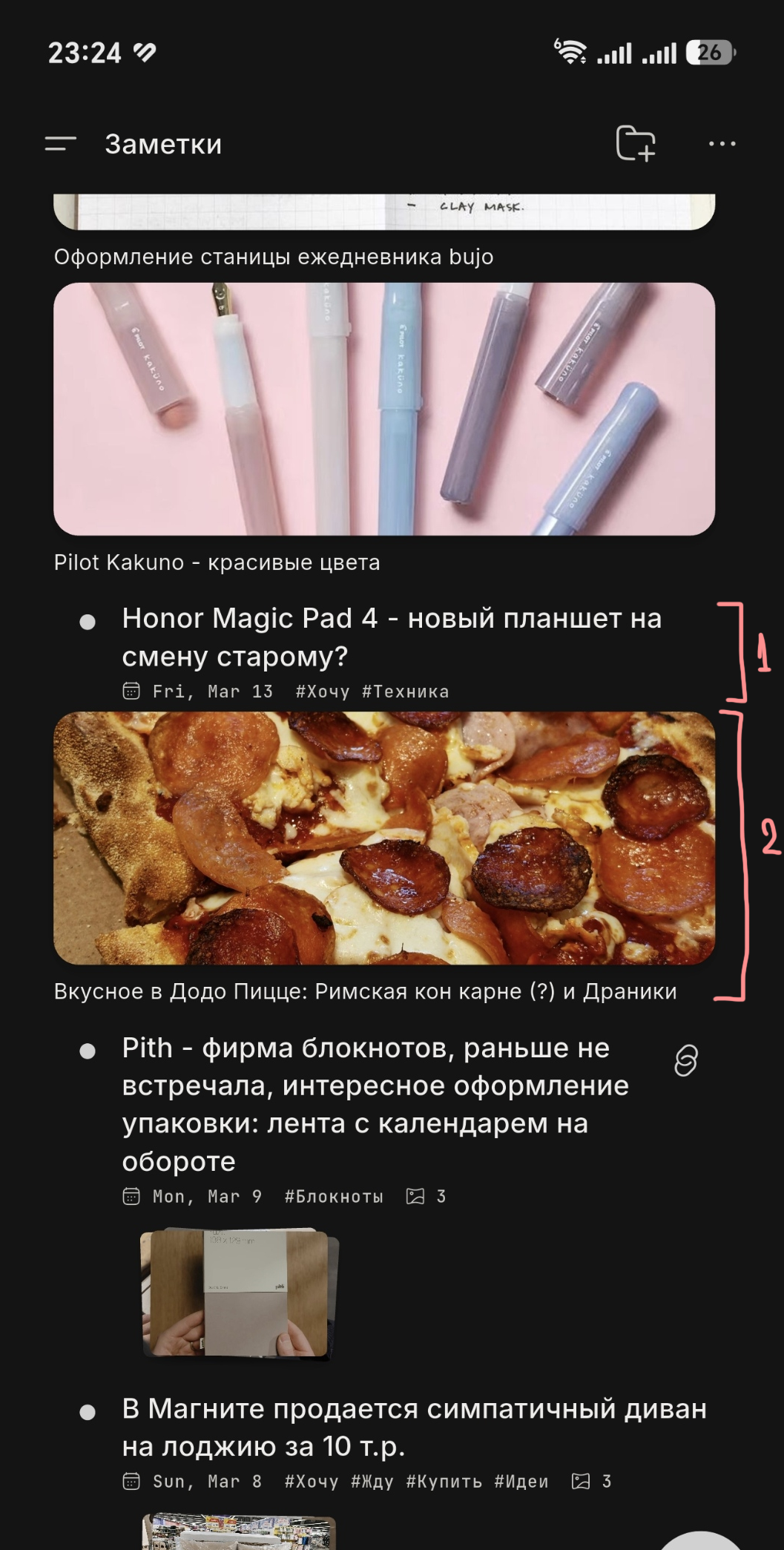
For example, in screenshot №1, the link about the Honor Magic Pad 4 (marked with 1) without an image looks like a caption or title for the photo of the pizza below it. However, the pizza photo is actually a completely separate note. This happens quite often and can be confusing.
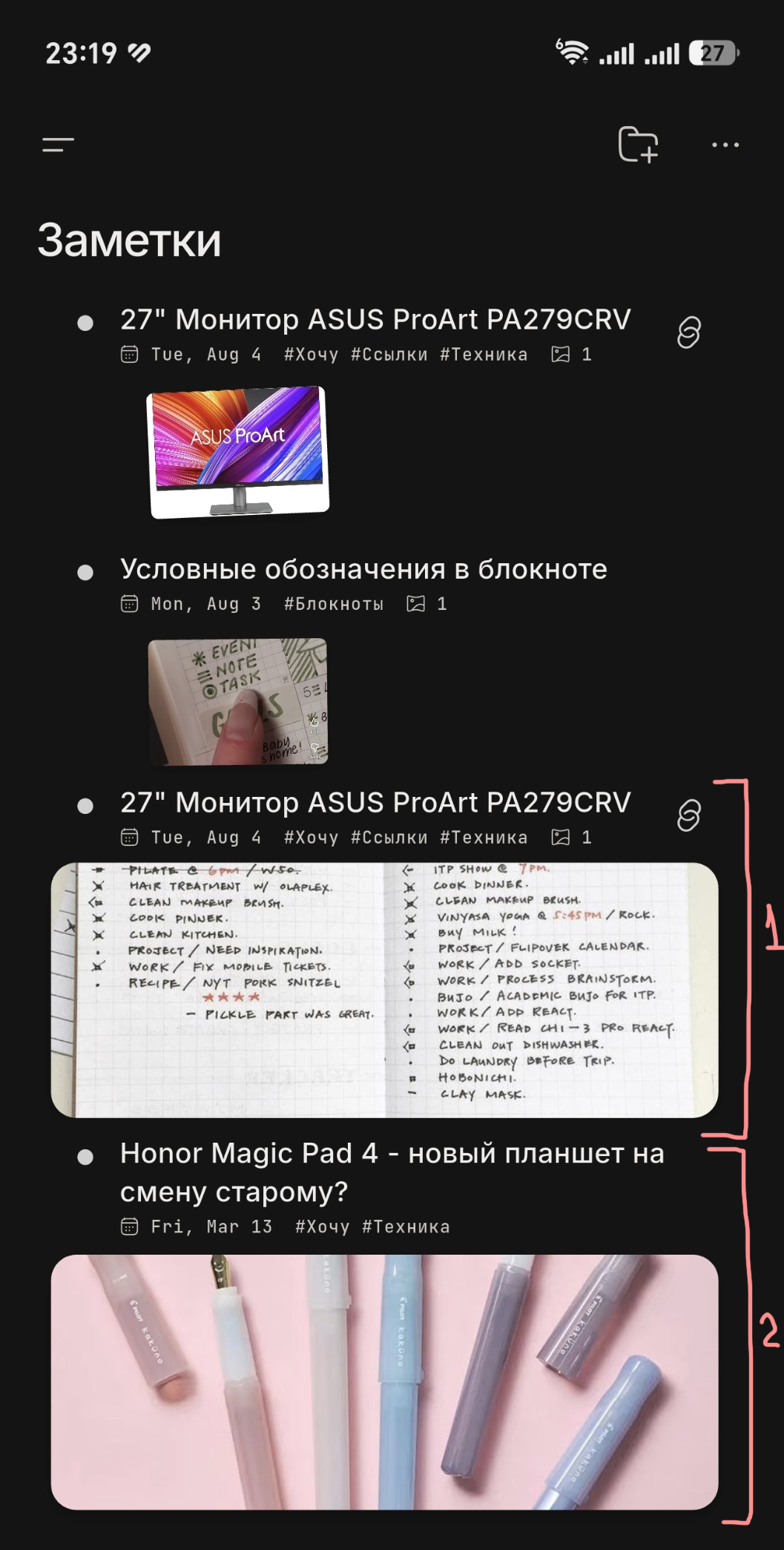
I'm not entirely sure what the best solution would be, but I've attached an edited screenshot 2 where I tried to fix the issue in Photoshop. 😄In my version, the note title is displayed above the note instead of below it, and it uses the same style as the other titles (I simply copied and pasted one of them). This makes Note 1 and Note 2 much easier to distinguish visually.
I know that I can simply change the image layout and currently doing it, but I really wish I can use my Notes section with large images, but I can’t (((
I hope I explained the issue clearly. Thank you!
Log in to comment and vote
Comments1
Red Bucket
Sep 2
Oh, sorry, I’ve messed up with the title, forgot to change it, but now I can’t - Error updating post 😭 Pls help >.<